

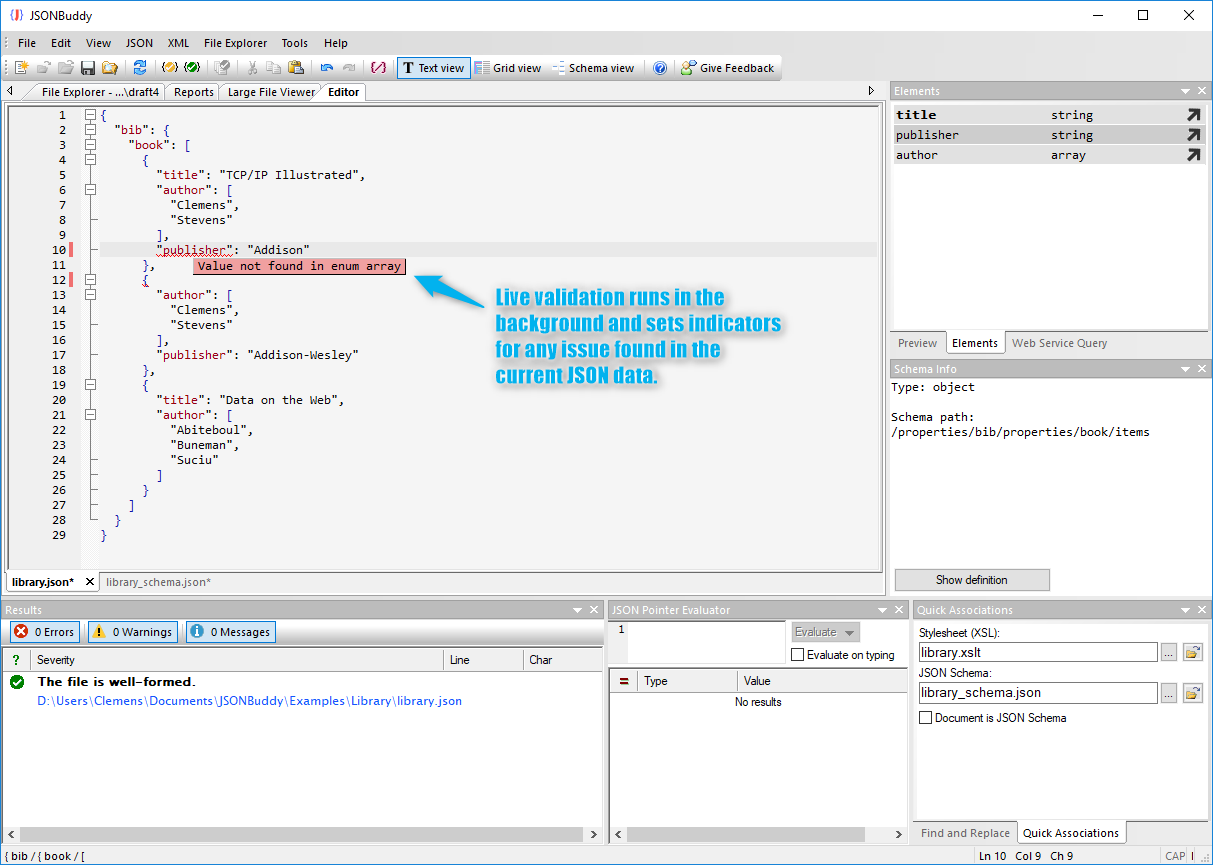
Why instant feedback matters
Validation is most useful when it arrives while the edit is still in context. Live indicators can identify syntax and schema problems near the affected value, while a detailed result explains the constraint that failed.
A repeatable validation workflow
- Open the JSON document and associate the intended JSON Schema.
- Edit the data and watch for live validation indicators.
- Open the detailed result to compare the instance location with the schema constraint.
- Correct the data or schema, then re-run the complete validation check.
Example: an invalid enumerated value
{
              "status": "almost-ready"
              }
If the schema allows only draft, ready, or published, the editor should identify the unsupported value and expose the allowed values in the diagnostic context. The diagnostic identifies the unsupported value and the allowed alternatives.
What live indicators do not replace
Instant feedback supports editing, but release workflows still need a complete validation run. Batch and CI checks provide repeatability across many files and environments.
Apply the method
Use the JSON validator for the capability overview, follow the task-focused Help instructions, or move stable checks to the command line and CI.